 MundoPrinter3D
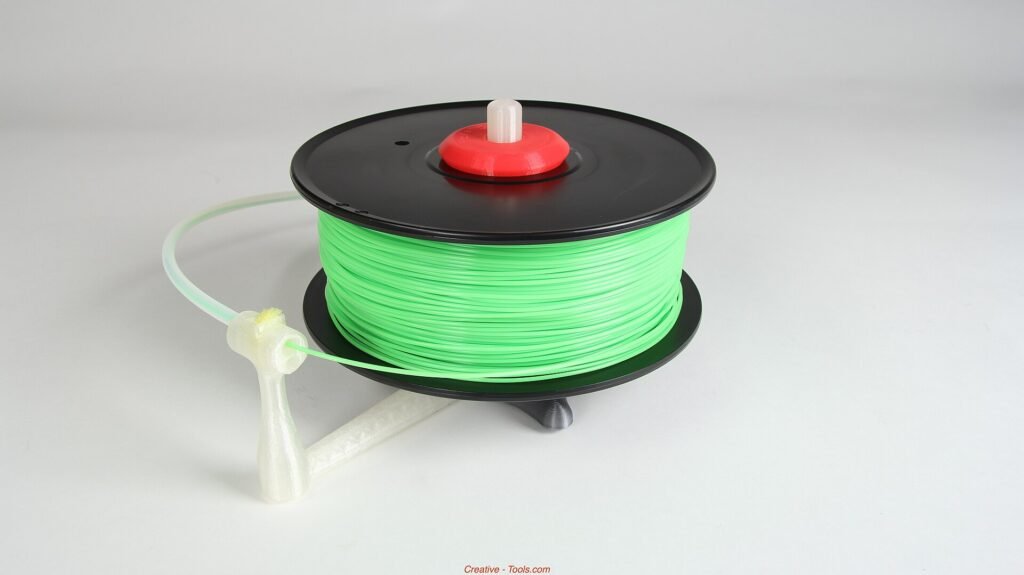
Foto: Creative Tools, CC BY 2.0, vía Wikimedia Commons
Most print problems blamed on slicer settings are actually water. Filament absorbs moisture from the air, and a damp spool behaves differently from the day you opened it. The symptoms look like tuning issues, so people chase temperature and retraction while the real fix sits in a box with a desiccant pack. This guide covers what humidity does, how to recognize it, how to dry a spool without ruining it, and how to store filament so the problem stops coming back.
What humidity does to filament
Plastic looks solid, but many filaments pull water vapor out of the air and hold it. The amount depends on the polymer: some absorb quickly, others slowly, and none are fully immune over months.
When that damp filament reaches the hot end, the water boils. The steam expands inside the melt zone and pushes plastic out unevenly. You hear a soft pop or crackle. The extrusion stutters. The surface comes out rough and cloudy instead of smooth.
The mechanical effect is worse than the cosmetic one. Steam bubbles create voids inside the part, and voids make weak layers. A part that looks acceptable can fail at a fraction of the load it should carry.
Humidity is only half the story. Temperature swings matter too, because warm air holds more moisture and cool surfaces collect condensation. A spool stored in a garage through a wet season will absorb more water than the same spool in a dry closet.
The clock starts when the seal breaks. A vacuum-sealed spool is protected until you open it. After that, the material and the room start negotiating, and the room usually wins.
Signs of wet filament, and what else looks like it
Wet filament has a signature. Learn it and you will stop misdiagnosing settings.
The clearest sign is sound. A crackle or pop from the nozzle during extrusion means water is boiling. On a quiet machine you can hear it from across the room.
The second sign is the surface. Prints come out with a rough, matte, or foamy texture, and thin walls look uneven. Small bubbles appear in the top layer.
The third is stringing that will not go away. You lower the temperature, increase retraction, and the wisps return. Damp material strings more because the melt is inconsistent.
The fourth is weak layer adhesion. Parts split along layer lines with little force, especially on larger pieces.
Several ordinary problems mimic these symptoms. A partially clogged nozzle produces rough extrusion but usually without the popping sound. A worn nozzle gives inconsistent lines. Loose filament tension causes gaps that look like under-extrusion. Test one spool against another before you rebuild the hot end.
A simple check helps: bend a short piece of filament. Damp material can feel brittle and snap sooner than dry material. It is not a lab test, but it is a useful hint.
Drying filament without damaging it
Drying works. The goal is to move water out of the plastic without softening or deforming the spool.
Use a dryer designed for filament. These hold a steady, low temperature and circulate air, which is exactly what the job needs. Follow the dryer’s guidance for the material, and follow the filament maker’s published drying recommendation when there is one.
Do not use a kitchen oven unless the manufacturer says it is suitable. Home ovens overshoot, cycle widely, and will happily melt a spool or fuse the coils into one solid ring. A food dehydrator is a better improvisation if it holds a low, stable temperature and fits the spool.
Give it time. Drying is slow because the water has to travel out of the plastic. Short cycles remove surface moisture and leave the core damp, which is why the problem returns a day later.
Let the spool cool before printing, and print from a dry box if you can. A spool that comes out of the dryer and sits in humid air starts absorbing again immediately.
Store the dried spool with desiccant right away. Drying without sealing is a temporary fix, not a solution.
Some damage is permanent. Filament that has been wet for a long time can hydrolyze, which changes the polymer itself. If a spool still prints badly after a proper dry, retire it.
Storage that holds a dry spool
Storage is a system, not a box. It has three parts: a barrier, a desiccant, and a way to check.
The barrier can be a sealed plastic tub with a gasket, a vacuum bag, or a dedicated dry box. The seal matters more than the material. A tub that clicks shut but does not seal will not hold.
Desiccant does the work inside the barrier. Silica gel packs are cheap and reusable; recharge them according to their instructions and keep a dry spare set ready. Replace them when the indicator changes or when the packs feel saturated.
Add a small hygrometer to the box. It turns storage from a guess into a measurement. If the reading climbs, the seal is failing or the desiccant is spent.
Keep spools in their original bags when you can, and squeeze the air out before sealing. Label each spool with the material and the date you opened it, because old spools fail first.
Store boxes off the floor and away from exterior walls, where condensation forms. A shelf in a closet beats a garage floor.
Handle spools with dry hands and avoid leaving them on the machine for weeks. The printer is not a storage container.
A routine that survives a busy month
Good habits fail when they are complicated. Keep this routine short enough to actually follow.
When a spool comes off the machine, bag it the same day. Not later, not after the next project. The same day.
Keep one open spool per material. Fewer open spools mean less exposure and less confusion about which roll is wet.
Dry any spool that has been open for a long stretch before a important print, not after it fails. A short drying cycle costs less than a failed long print.
Check the hygrometer when you open the box, and recharge desiccant on a schedule rather than when you notice a problem.
Retire spools that keep failing after drying. Keeping them «for small parts» only wastes print time.
If you live somewhere humid, treat storage as part of the printer’s setup, not as an accessory. The cost of a sealed box and desiccant is small next to the filament you will save.
Frequently asked questions
Does PLA really absorb water?
Yes, though more slowly than nylon or some blends. PLA left open in humid air will string, pop, and print rough. The effect is gradual, which is why people blame settings.
Can I dry filament in a kitchen oven?
Only if the manufacturer says the oven is suitable. Home ovens overshoot and cycle, and a spool can deform or fuse. A filament dryer or a food dehydrator with stable low heat is safer.
How should I store a spool between projects?
Seal it with desiccant in a gasketed box or a vacuum bag, and keep a hygrometer inside. Squeeze out the air, label the spool, and store it off the floor.
Does a sealed box need desiccant?
Yes. A seal slows moisture, it does not stop it. Desiccant absorbs what gets in, and a hygrometer tells you when to recharge it.
Dry filament is the cheapest upgrade you can make. Before you tune retraction or blame the slicer, seal the spool, dry it properly, and print the same file again. Most of those «settings problems» disappear the moment the water does.
Where to buy
We do not list prices: they change by seller and region. These links open Amazon US, where the current price and shipping options are shown.