 MundoPrinter3D
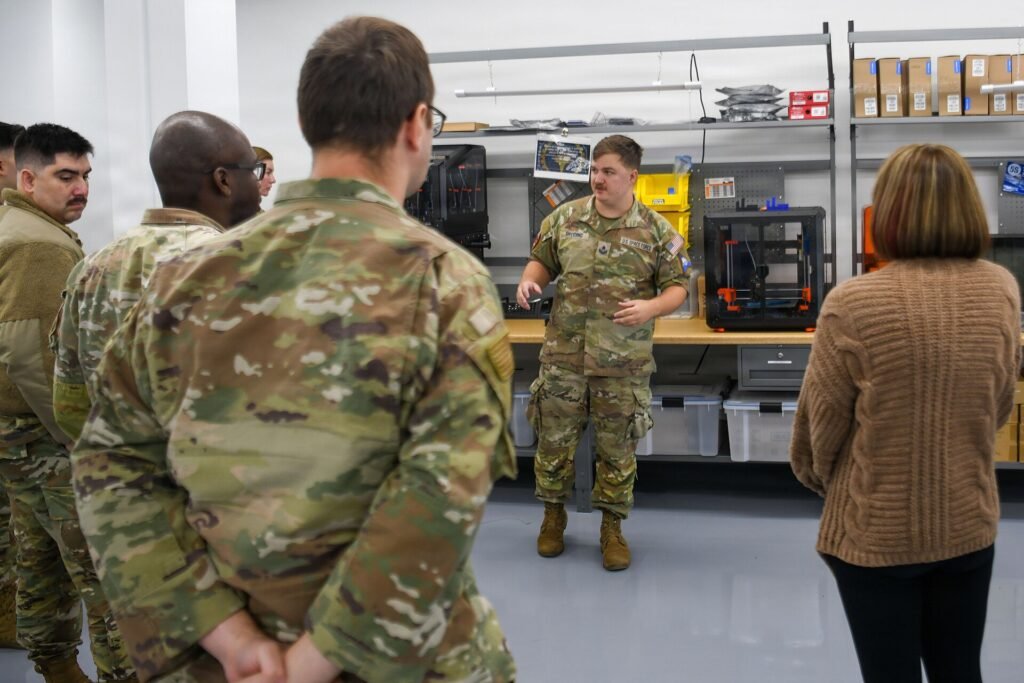
Foto: U.S. Space Force photo by 2nd Lt. Justin Lohman, Public domain, vía Wikimedia Commons
The best beginner 3D printer in 2026 is the one that fits the parts you actually want to make and the room where you can run it. For most people that means an open-frame FDM machine. Buyers who want miniatures, smooth surfaces, or very fine detail should look at resin instead. This guide compares four printer categories rather than naming models, so you can read any listing and judge it yourself.
Start with the part, not the printer
Most first-time buyers start with a spec sheet. Start with a shelf instead. Look at the objects you want to exist in three months and answer three questions. How big is the largest one? How much detail does it need? Where will the machine live?
Size decides category more than anything else. A phone stand, a bracket, a replacement knob: almost any open-frame FDM printer handles that. A helmet or a full prop: you need a large build area or a design you can split and join.
Detail decides between FDM and resin. FDM leaves layer lines you can see and feel, and that is fine on a workshop part. Resin gives smooth surfaces and crisp small features, which is what miniature painters want.
Location decides whether you can finish the job. Resin needs ventilation, gloves, alcohol, and a place to cure parts. FDM needs a stable table near an outlet. Neither fits comfortably on a bedroom shelf shared with laundry.
Then think about patience. Some machines arrive assembled and print a test file the same evening. Others arrive as a box of extrusions and take a weekend to build, and that weekend teaches you how the machine works. Neither path is better. They suit different people.
Write the answers down before you open a product page. A short list of requirements filters most of the market in ten minutes, and it stops you from buying the machine with the loudest marketing.
The four categories, compared
| Category | Best for | Build area | Materials | Setup | Main limitation |
|—|—|—|—|—|—|
| Open-frame FDM | First machine, everyday parts | Small to medium | PLA, PETG, some flexibles | Assembled or one evening | Frame flexes, open air |
| Enclosed FDM | Workshop use, hotter materials | Medium | PLA, PETG, ABS, ASA, filled blends | Usually assembled | Heavy, needs bench space |
| Resin | Miniatures, small detailed parts | Small | Resin only | Assembled, plus wash and cure gear | Fumes, brittle parts, post-work |
| Large-format FDM | Props, jigs, one-piece panels | Large | PLA, PETG, some blends | Assembled or long build | Floor space, warping |
Categories beat model names because they describe the experience rather than the spec sheet. An open-frame FDM machine is the default first printer: everything is visible, repairs are simple, and most problems have a documented fix. It is also the least stable at speed and the least pleasant to run in a shared room.
An enclosed FDM machine trades bench space for quieter running and control over hot materials. Resin is a different workflow, not a different size: expect gloves, a wash station, and a curing light. Large-format FDM solves one problem, size, and adds warping, weight, and floor space.
Pick the row that matches your answers from the previous section. Then compare machines inside that row, where the differences start to matter.
What to look for in any listing
Read every listing for the same things, in the same order.
Start with the build surface. A removable, flexible steel sheet beats a bare plate, because you can bend it to release a part and replace it when it wears out. Check that replacement sheets are sold separately.
Next, the bed leveling system. A probe that measures the bed and compensates is a real convenience. It does not fix a warped plate or a loose gantry, so look for a plate that is flat and a frame that does not flex under its own motion.
Then the extruder. Direct drive puts the motor on the head, which handles flexible filament better and retracts more precisely. Remote-drive setups are lighter and faster, and they are fine for PLA and PETG. Either works. Know which one you are buying.
Look at the hotend and nozzle. Standard nozzles and heaters are available from many sellers; proprietary ones tie you to one company for years. Ask what a replacement nozzle involves.
Check the firmware. Open, documented firmware means you can fix problems and follow community guides. A locked cloud app means you depend on the company staying interested in your machine.
Finally, look for the boring details: part cooling, a filament runout sensor, and a power switch you can reach. Those separate a machine you tolerate from one you use.
What to ignore
Marketing numbers are the easiest thing to compare and the least useful.
Ignore the headline print speed. It describes a best case on a simple shape, not the machine’s behavior on your part. A frame that shakes at that speed makes worse prints than a slower machine that stays rigid. Look for reviews that print real objects.
Ignore the maximum nozzle temperature as a buying argument. A hot end that reaches a number does not mean the machine prints those materials well. The bed, the enclosure, part cooling, and the motion system all have to cooperate.
Ignore screen resolution claims on resin printers. More pixels on the same panel size helps a little; the light source, the resin, and the exposure settings matter more.
Ignore AI cameras, cloud dashboards, and app-only controls on a first machine. They add failure points and accounts you will not use. A camera is useful for watching long prints, not for choosing a printer.
Ignore the bundled sample filament. It is enough to run one test model.
Ignore claims that the machine needs no leveling. Every printer needs its first layer checked, and every plate drifts over time.
Ignore pre-order and crowdfunding listings unless you can wait without a deadline. Hardware you can buy today, with reviews and spare parts, is the safer purchase.
Space, noise, and the first month
The machine is one part of the purchase. The room is the other.
Measure the footprint and add clearance for the bed to move and the spool to turn. Many desks are deep enough for the printer and not deep enough for the printer plus a spool holder plus the parts you set down.
FDM printers are not silent. Motors whine, fans run, and the frame amplifies vibration through a hollow desk. A heavy paver and a rubber pad under the machine cut the noise and improve print quality at the same time.
Plan ventilation before you need it. FDM printing releases fumes and ultrafine particles, and some materials smell strong. Resin releases vapors you should not breathe in a closed bedroom. A window, an open door, and a fan aimed outward are the minimum.
Budget time, not just money. The first month is calibration, failed prints, and learning what a good first layer looks like. That is normal, and it is part of the hobby.
Buy a spare nozzle and a spare build surface with the machine. You will need both sooner than you expect.
Frequently asked questions
Do I need an enclosed printer as a beginner?
Not for PLA or PETG. An open frame is easier to watch, easier to repair, and easier to move. Buy an enclosure, or an enclosed machine, when you know you want ABS, ASA, or quiet operation in a shared room.
Is a resin printer a bad first choice?
Only if you want functional parts or dislike post-processing. For miniatures and small detailed models, resin gives results FDM cannot match. Just plan for gloves, ventilation, washing, and curing before the box arrives.
How large a build area do I need?
Measure your largest planned part and add margin for the brim and the purge line. Most beginners overbuy. A medium build area covers household parts, and larger objects can be split and joined.
Should I buy a kit or a pre-assembled machine?
Pre-assembled if you want to print this week. A kit if you enjoy mechanical work and want to understand every part. Both produce the same quality once the frame is square and the machine is calibrated.
For most beginners in 2026, the right purchase is an open-frame FDM printer with a removable build plate, probe-assisted leveling, and standard parts you can replace. If your heart is set on miniatures, buy resin instead and budget for the wash and cure gear. Pick the category first. The model will follow.
Where to buy
We do not list prices: they change by seller and region. These links open Amazon US, where the current price and shipping options are shown.